
Flashback -
is your Dashcam for Sound
Ever realized someone said something important or hilarious—but only after the moment passed? Flashback is a utility that acts like a dashcam for your life, allowing you to capture recent audio from the immediate past. Unlike traditional recorders that require you to press record before something happens, Flashback lets you save the unscripted moments that just occurred.
It uses a secure, RAM-only loop buffer that constantly overwrites itself, meaning nothing is saved to your device storage until you choose to keep a specific clip. It’s private, offline-ready, and won't waste your storage with hours of silence.
User Guide
1. Initial Setup & First Launch
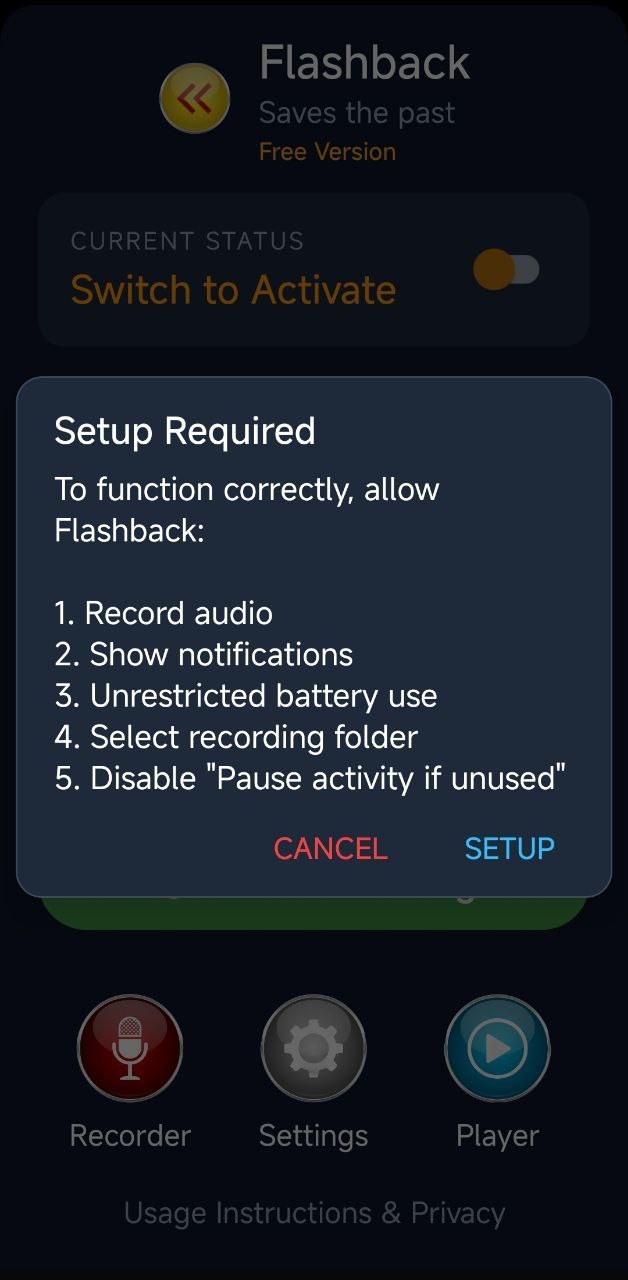
To ensure Flashback operates reliably and captures every moment without interruption, you need to configure a few essential system permissions during the first launch. These steps allow the app to run smoothly in the background.
How to Start: When you see the "Setup Required" prompt, tap SETUP. Follow the on-screen system prompts to grant each permission. Once completed, you can toggle the switch to Activate and start saving the past.
-
Record Audio: This is the core permission required for the app to function and save your past moments.
-
Show Notifications: Keeps you informed of the app’s status and provides quick access to controls via the notification tray.
-
Unrestricted Battery Use: Setting this is crucial. It prevents Android from "killing" the app to save power, ensuring your recording stays active even when the screen is off.
-
Select Recording Folder: You choose exactly where your audio files are stored on your device for easy management and privacy.
-
Disable "Pause activity if unused": This prevents the system from automatically revoking permissions or deleting temporary files if you haven't opened the app interface for a while.
2. Main Dashboard
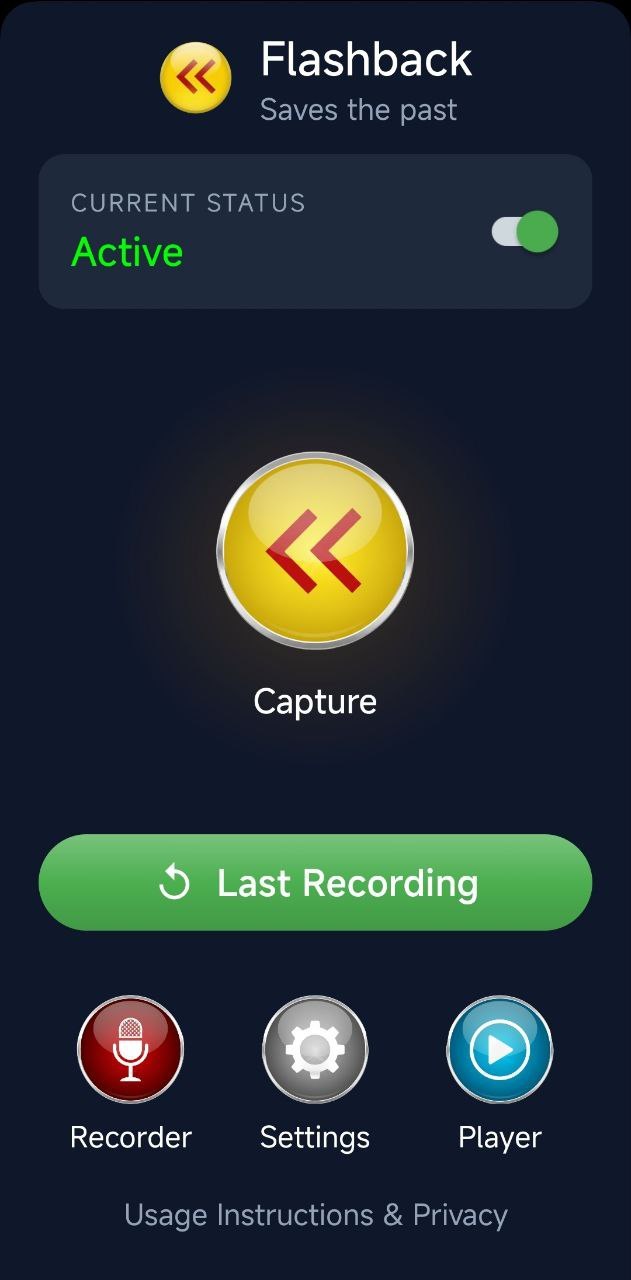
- Activate the Buffer: In "Current Status" activate the switch to start secure audio buffer.
- Capture the Past: When something worth saving happens, tap the large yellow Capture button to save the last 30 seconds to 5 minutes (depending on your settings).
- Quick Access: Use the "Last Recording" button to immediately jump to your most recent save.
3. Recording Library
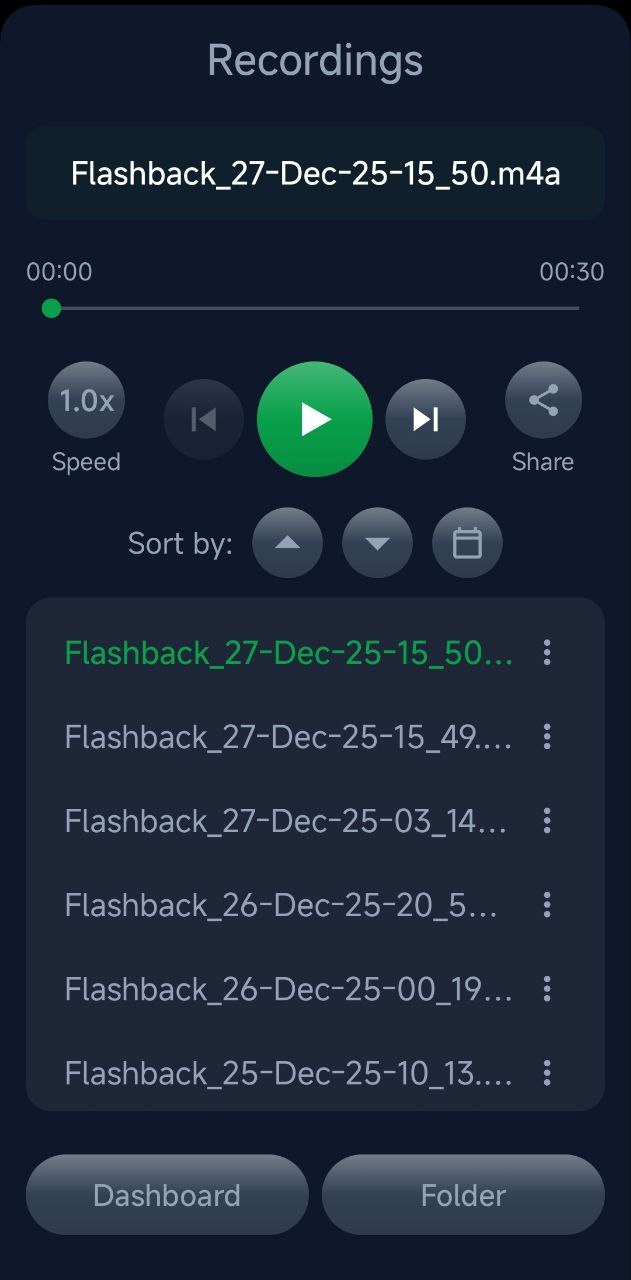
- Stay Organized: View all your saved snippets in one place, sorted by date.
- Share: Send your favorite moments to friends or colleagues instantly.
- Edit: Trim, rename or delete recordings.
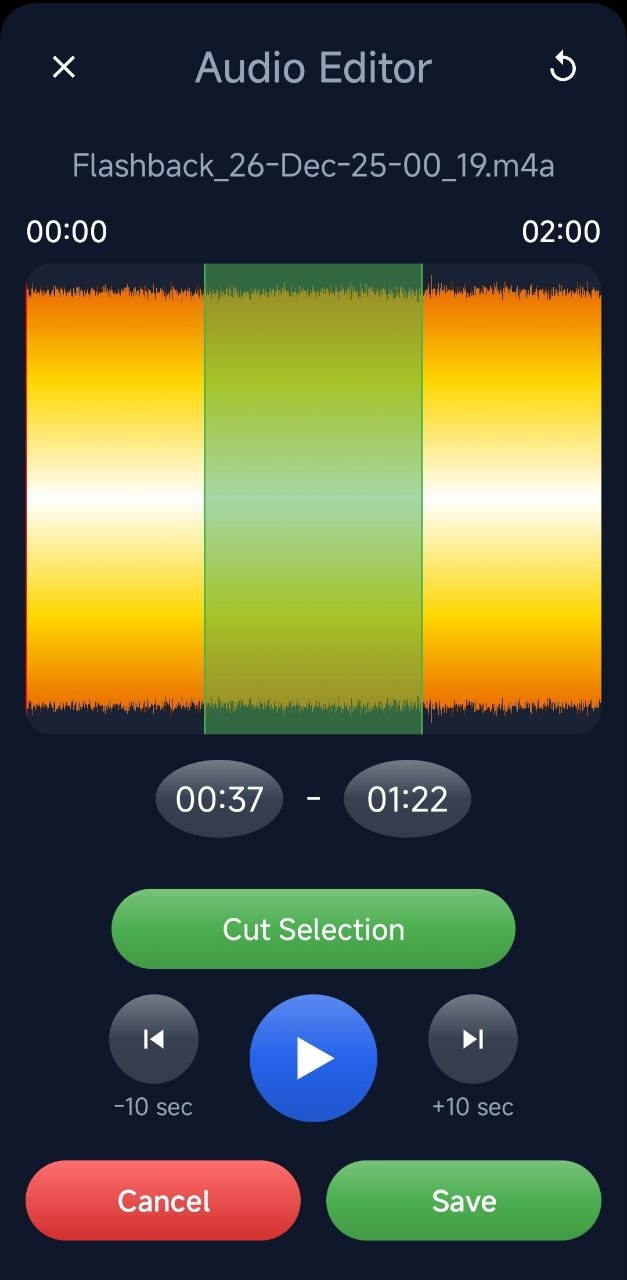
4. Audio Editor
- Trim & Perfect: Use the clip editor to trim your recordings down to the exact moment that matters.
- Manage: Rename your files, save them to your permanent device storage or instantly share them.
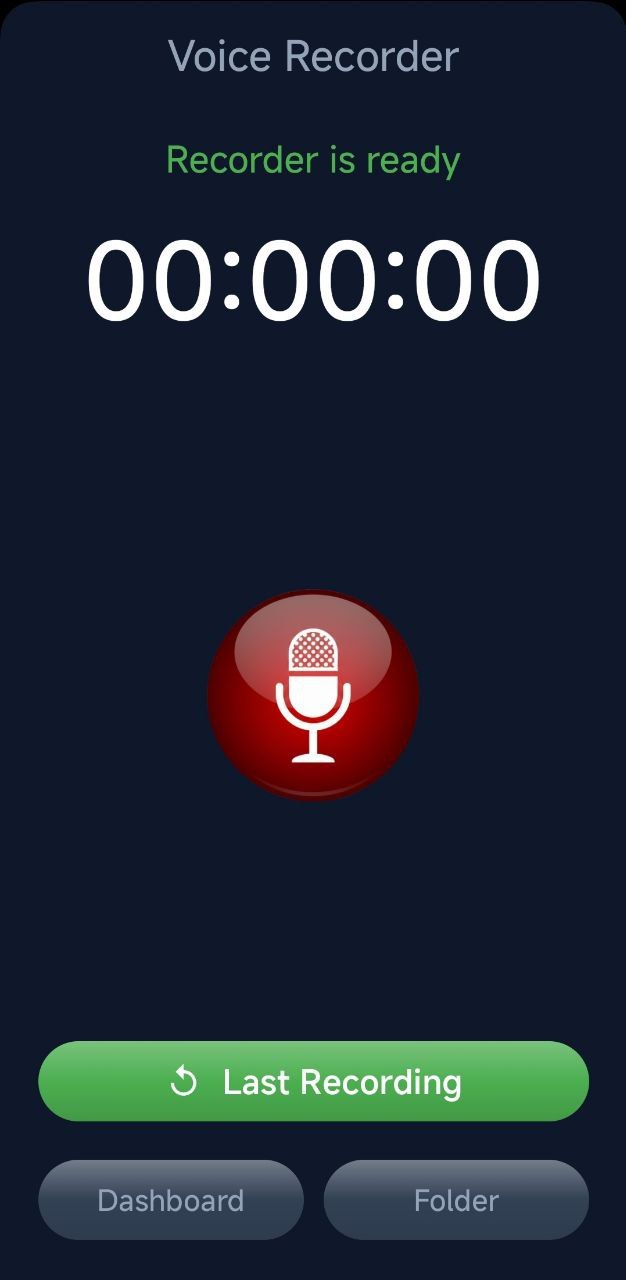
5. Standard Voice Recorder
- Planned Moments: Use this for high-quality recording of planned meetings, lectures, or personal memos.
- Traditional Control: Tap the microphone icon to start, pause or stop a standard recording session.
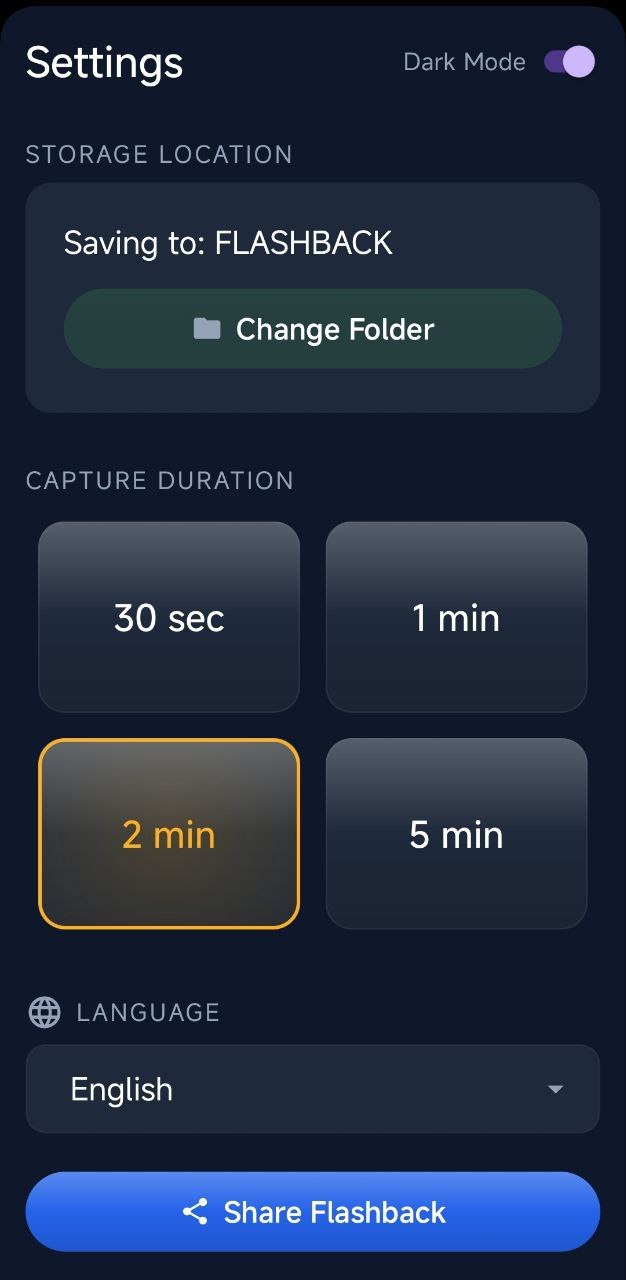
6. Settings
- Customize Duration: Choose how much of the past you want to save (30s, 1m, 2m, or 5m).
- Personalize: Toggle Dark Mode, change your storage folder, or select your preferred language.
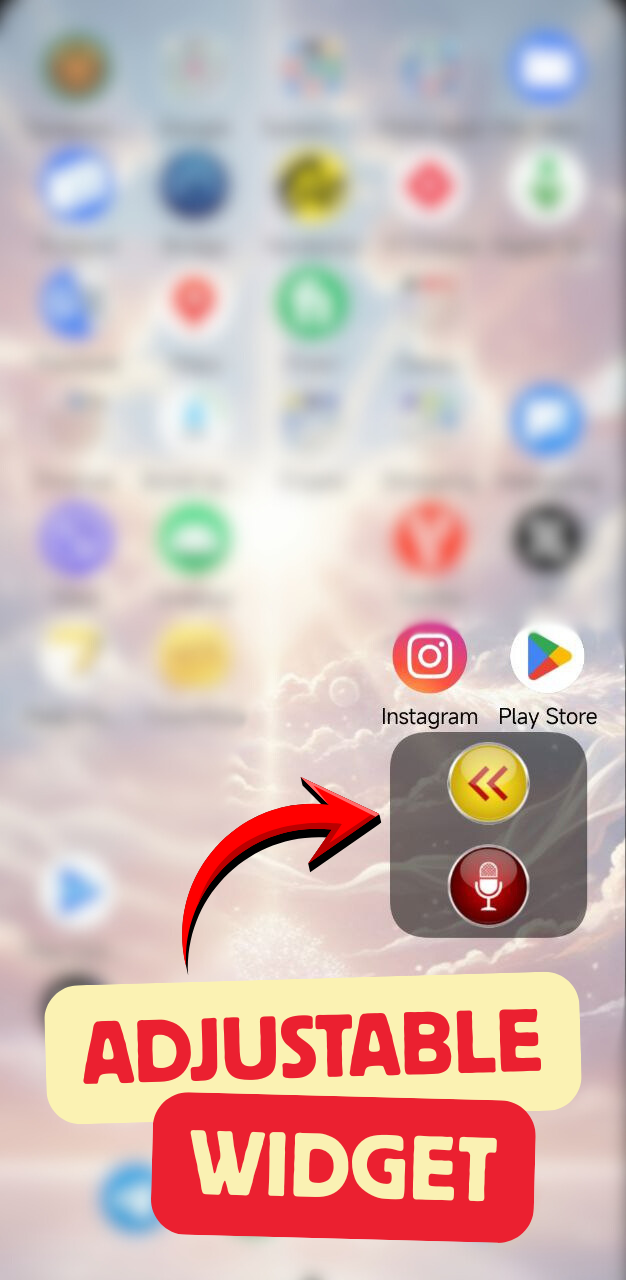
7. Adjustable Widget
- One-Tap Capture: Add the widget to your home screen to capture "Flashbacks" or start standard recordings without even opening the app.
- Instant Readiness: Never miss a moment while fumbling through your app drawer.
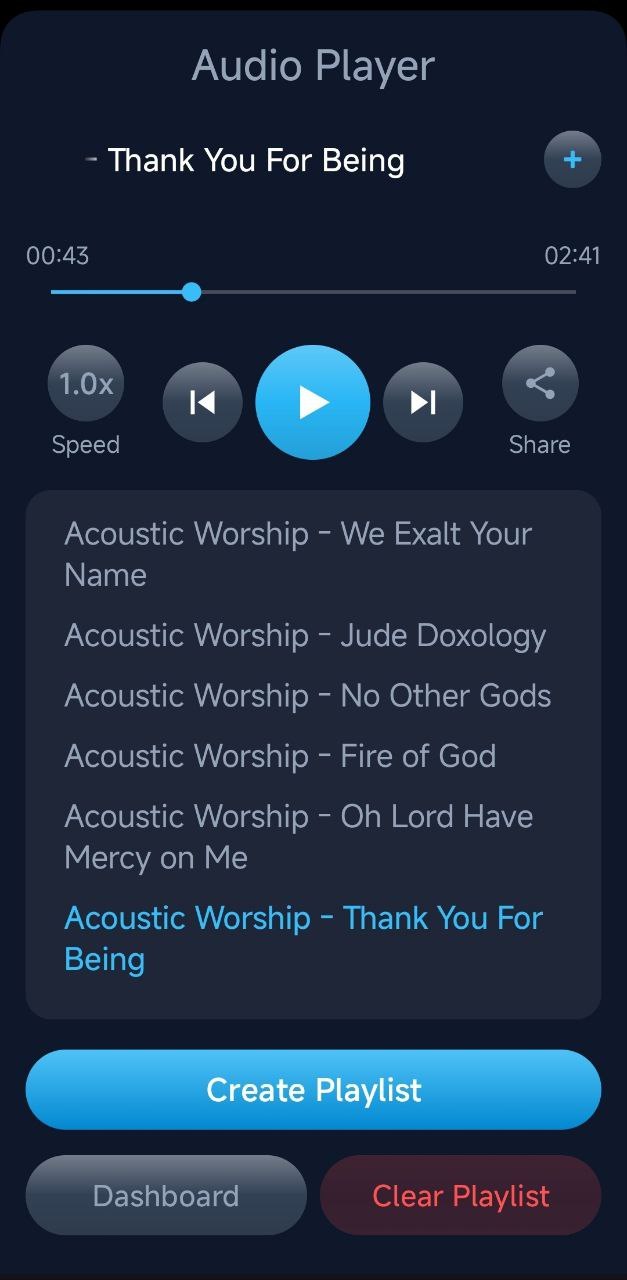
8. Integrated Player & Playlist
- Playback: Manage any of your audio tracks with a minimalistic player.
- Organize: Create playlist and use background playback to listen tracks while you use other apps or lock your phone.
-
Pro Organization: Reorganize your tracks exactly how you want them with a simple drag and drop. Not feeling a track anymore? Just swipe left on any song in your playlist to remove it instantly.
-
Tap the «+» button to add the current track to your playlist.
-
You can also save online audio by sharing its direct link to your Flashback playlist.
Never miss an important moment again.
Flashback is your insurance policy for those moments when the most interesting things happen unexpectedly.
Download the app and rest assured: now you can save any important moment,
even if you only realized its significance a few minutes later.
